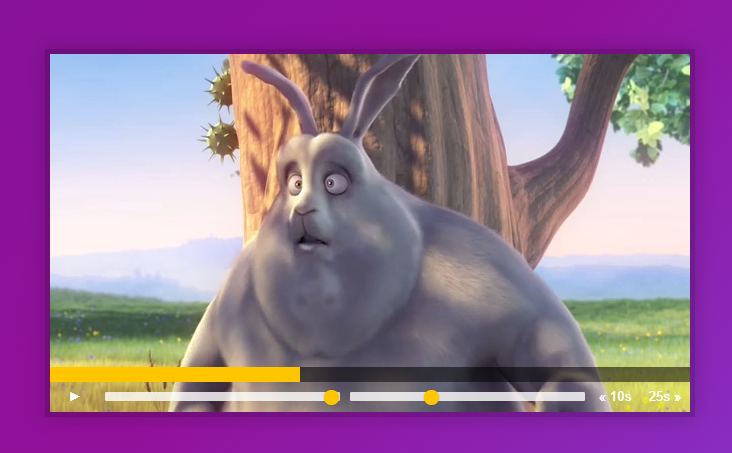
"# JavaScript 30" 강의 - 11. Custom Video Player
학습일자
2020.10.16
학습내용
-video 객체의 기본 내장 속성 및 함수 기억하기
: play(), paused() 등
www.w3big.com/jsref/dom-obj-video.html
HTML DOM Video Object
HTML DOM Video Object Video Object Video objects are new in HTML5. Video object represents an HTML
www.w3big.com
- event.offsetX
: target element로부터 상대적인 마우스 포인터의 x좌표값을 반환
: 예를 들어, 비디오 진행바에서 임의로 지정되는 x좌표 값을 가져오는 경우 활용
: www.w3schools.com/jsref/event_offsetx.asp
MouseEvent offsetX Property
MouseEvent offsetX Property ❮ DOM Events ❮ MouseEvent Example Click inside a DIV and output the coordinates of the click, relative to the DIV element: var x = event.offsetX; Try it Yourself » More "Try it Yourself" examples below. Definition and Usage
www.w3schools.com
- element.offsetWidth
: element의 레이아웃 width를 정수 형태로 반환
: 예를 들어, event.offsetX화 함께 사용하여 비디오 진행바에서 진행 정도를 변경하는데 활용
: developer.mozilla.org/en-US/docs/Web/API/HTMLElement/offsetWidth
알게된 점
-html 태그 상의 텍스트를 가져올때는 object.textContent 사용 -> 텍스트를 변경 경우 사용
- parseFloat()는 문자열을 실수로 바꾸는 함수 -> 재생시간 skip 하는 경우, html 태그 내의 속성 값으로 가져오는 경우 타입을 숫자로 변환해야 video.currentTime ()에 적용가능
- 진행 바 채워지는 정도를 업데이트 하기 위하여, addEventlistenr의 "timeupdate" 이벤트 활용
-video.duration은 전체 재생시간 값을 가져옴
- video 객체의 play()와 pause() 함수는 "__proto__: HTMLVideoElement" 안에 내장되어 있음
: 해당 함수 접근할 때 'element[play]()' 식으로 접근 가능

- 비디오 전체화면 전환 방법
: CSS에 ":fullscreen"(전체화면)에 대한 화면을 정의 (width 등 조정) -> :fullscreen은 체 화면 모드에 진입한 모든 요소를 지정
: 실제 해당 비디오를 fullscreen 모드로 전환하는 표준 함수는 element.requestFullscreen 임.