학습일자
2020.09.28
학습내용
- 초 침, 분 침, 시 침 표현 CSS : 폭 또는 높이가 좁은 직사각형을 그리고 + transform-origin: 100%로 변경 + transition-timing-function: cubic-bezier(0.1, 2.7, 0.58, 1) 식으로 틱톡 형태 움직임 구현
- 초, 분, 시간 단위 움직이는 각도 구현 원리
: now()에서 초, 분, 시를 각각 가져와서, 초, 분은 60으로 나누고, 시는 12로 나눠서 360 곱하면 시간을 대응되는 각도 수치로 변환 가능
- 시간 관련 date() 속성s
[JavaScript (11)] Javascript Date 객체, Date 메소드(getDate, getFullYear, getMonth 등)
[JavaScript (11)] Javascript Date 객체, Date 메소드(getDate, getFullYear, getMonth 등) 안녕하세요. 갓대희 입니다. 이번 포스팅은 [ 자바스크립트 객체 - Date ] 입니다. : ) 0. Javascript에서의 ..
goddaehee.tistory.com
- (CSS) transition
: 아래 4가지만 기억하면 됨
- transition-property
- transition-duration
- transition-timing-function
- transition-delay
ielselog.blogspot.com/2013/09/understand-css-trasition.html
CSS transition 이해하기
구글 블로그 사용자를 위한 팁, 블로그스팟, 코드 모음. 템플릿, CSS, HTML, 동적뷰, Blogger, Blogspot.
ielselog.blogspot.com
알게된 점
- setInterval은 일정시간 간격으로 특정 함수를 주기적으로 호출하는 것이고, setTimeout은 일정 시간 후에 특정 함수를 1번 호출하는 것임. 따라서, setTimeout은 재귀함수 형식으로 사용해야 함.
자바스크립트 주기적인 실행(setInterval, setTimeout)
자바스크립트로 주기적인 작업을 실행하기 위해서 setInterval과 setTimeout 메소드를 사용할 수 있습니다. 두 가지는 비숫하지만 중요한 차이점을 가집니다. - setInterval 함수 : 일정한 시간 간격으로 �
offbyone.tistory.com
			const secondhand = document.querySelector(".second-hand");
			const minutehand = document.querySelector(".min-hand");
			const hourhand = document.querySelector(".hour-hand");

			function timer() {
				const now = new Date();
				console.log(now);

				const second = now.getSeconds();
				const secondDegree = (second / 60) * 360 + 90;
				secondhand.style.transform = `rotate(${secondDegree}deg)`;

				const minute = now.getMinutes();
				const minuteDegree = (minute / 60) * 360 + 90;
				minutehand.style.transform = `rotate(${minuteDegree}deg)`;

				const hour = now.getHours();
				const hourDegree = (hour / 12) * 360 + 90;
				hourhand.style.transform = `rotate(${hourDegree}deg)`;

				console.log(`${hour}:${minute}:${second}`);
			}

			setInterval(timer, 1000);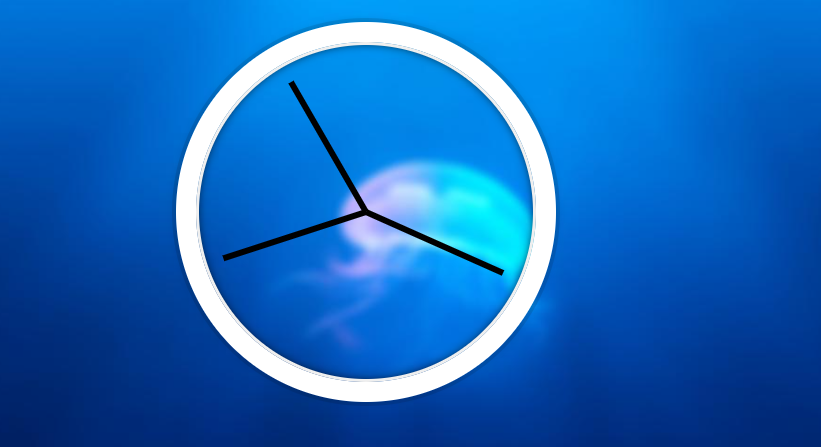
'언어별 학습 자료 > Javascript' 카테고리의 다른 글
| "# JavaScript 30" 강의 - 09. Dev Tools Domination (0) | 2020.10.08 |
|---|---|
| "# JavaScript 30" 강의 - 08. Fun with HTML5 Canvas (0) | 2020.10.08 |
| "# JavaScript 30" 강의 - 04. Array Cardio Day 1 (0) | 2020.09.29 |
| "# JavaScript 30" 강의 - 03.Playing with CSS Variables and JS (0) | 2020.09.29 |
| "# JavaScript 30" 강의 - 01. JavaScript Drum Kit (0) | 2020.09.29 |


